> ## Documentation Index
> Fetch the complete documentation index at: https://docs.ascn.ai/llms.txt
> Use this file to discover all available pages before exploring further.
# Brain: overview
> The central place where you tell the agent who it is, what it can do and what it's connected to.
**Brain** is the control center of your agent. Here you set what it's connected to, how it behaves, and what it knows about you and your work.
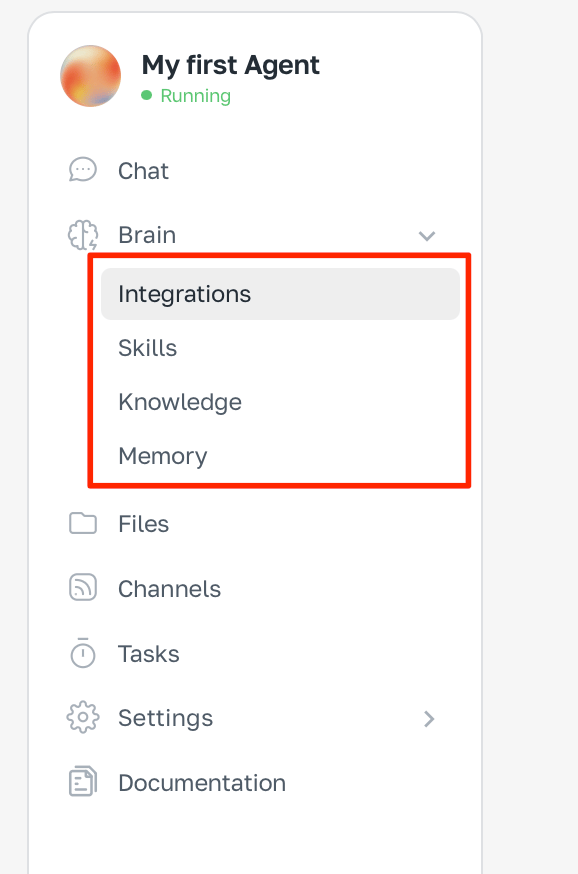 ## What's inside the Brain
External services the agent is connected to: Gmail, Google Calendar, Slack, GitHub. The agent reads data from them and performs actions — replies to emails, creates events, posts to a channel.
Ready-made behaviour patterns for repeated tasks. Like «summarize each meeting» or «reply to inbound support emails using a template». Install from the library or create your own in chat.
Everything the agent knows about you and your work: your name, company, preferred tone of voice, and reference documents.
What the agent remembered from conversations. Like «Alex prefers short summaries». Saved between sessions automatically.
## Recommended setup order
1. **Integrations** — connect the services you need
2. **Knowledge** — tell the agent who it is and who you are
3. **Skills** — add if you need specific logic
4. **Memory** — works automatically, no setup needed
## What's inside the Brain
External services the agent is connected to: Gmail, Google Calendar, Slack, GitHub. The agent reads data from them and performs actions — replies to emails, creates events, posts to a channel.
Ready-made behaviour patterns for repeated tasks. Like «summarize each meeting» or «reply to inbound support emails using a template». Install from the library or create your own in chat.
Everything the agent knows about you and your work: your name, company, preferred tone of voice, and reference documents.
What the agent remembered from conversations. Like «Alex prefers short summaries». Saved between sessions automatically.
## Recommended setup order
1. **Integrations** — connect the services you need
2. **Knowledge** — tell the agent who it is and who you are
3. **Skills** — add if you need specific logic
4. **Memory** — works automatically, no setup needed