> ## Documentation Index
> Fetch the complete documentation index at: https://docs.ascn.ai/llms.txt
> Use this file to discover all available pages before exploring further.
# Quickstart
> Create your first agent in 5 minutes.
## Step 1. Create an account
Go to [ascn.ai](https://ascn.ai) and click **Try free**. Sign-up takes less than a minute.
## Step 2. Create your first agent
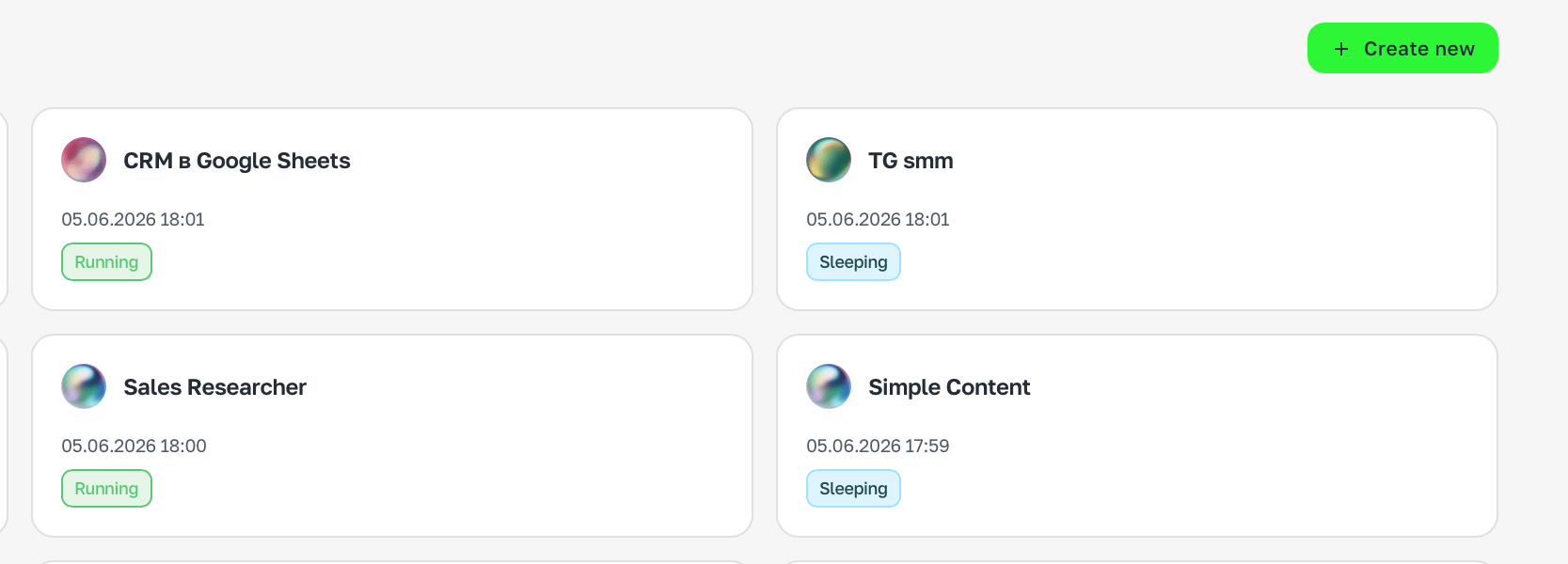
On the home page, click **+ Create new** in the top right corner.
 ## Step 3. Describe the task
Tell the agent in chat what it should do. The more specific — the better.
```text theme={null}
Watch deadlines in my Google Calendar. One day before a deadline
remind me about the task and ask if I need help preparing.
```
```text theme={null}
Every morning at 9:00 send me a summary of unread Gmail messages
with a short description of each.
```
Start with a task you already do manually every day. That's the fastest way to feel the difference.
## Step 4. Connect the services you need
The agent will offer to connect the needed services right after your first message — just follow the prompts in chat.
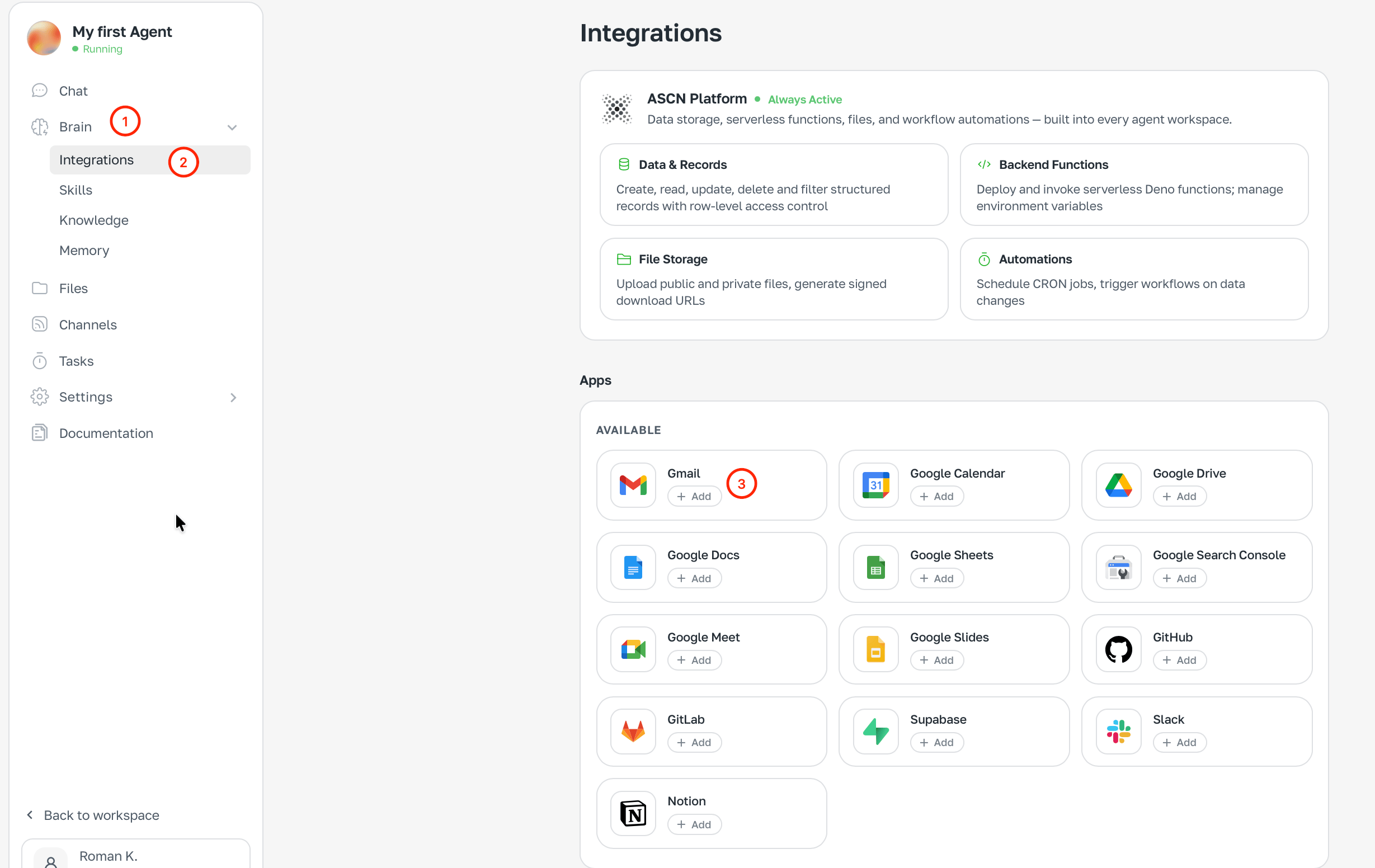
If you want to connect something yourself — open **Brain**, pick **Integrations** and find the service.
## Step 3. Describe the task
Tell the agent in chat what it should do. The more specific — the better.
```text theme={null}
Watch deadlines in my Google Calendar. One day before a deadline
remind me about the task and ask if I need help preparing.
```
```text theme={null}
Every morning at 9:00 send me a summary of unread Gmail messages
with a short description of each.
```
Start with a task you already do manually every day. That's the fastest way to feel the difference.
## Step 4. Connect the services you need
The agent will offer to connect the needed services right after your first message — just follow the prompts in chat.
If you want to connect something yourself — open **Brain**, pick **Integrations** and find the service.
 ## Step 5. Done
The agent is already working. Chat in ASCN or connect [Telegram](/en/channels/telegram) — and talk from wherever is convenient.
***
## What's next
Understand the architecture: Brain, Tasks, Channels.
Connect Gmail, Calendar, Drive, Slack, GitHub.
Set up automatic morning summaries and reminders.
Step-by-step build of an email and calendar agent.
## Step 5. Done
The agent is already working. Chat in ASCN or connect [Telegram](/en/channels/telegram) — and talk from wherever is convenient.
***
## What's next
Understand the architecture: Brain, Tasks, Channels.
Connect Gmail, Calendar, Drive, Slack, GitHub.
Set up automatic morning summaries and reminders.
Step-by-step build of an email and calendar agent.