> ## Documentation Index
> Fetch the complete documentation index at: https://docs.ascn.ai/llms.txt
> Use this file to discover all available pages before exploring further.
# Email and calendar agent
> Step-by-step build of an agent that reads email, drafts replies, sends morning summaries and manages meetings via Telegram.
In this guide we'll build from scratch an agent that:
* Reads Gmail and sends a morning summary
* Drafts replies to important emails
* Sees meetings in Google Calendar and reminds you
* Takes commands via Telegram
Setup time: **10–15 minutes**.
## Step 1. Create the agent and describe the task
1. Sign in to ASCN, open the agent list
2. Click **+ Create new**
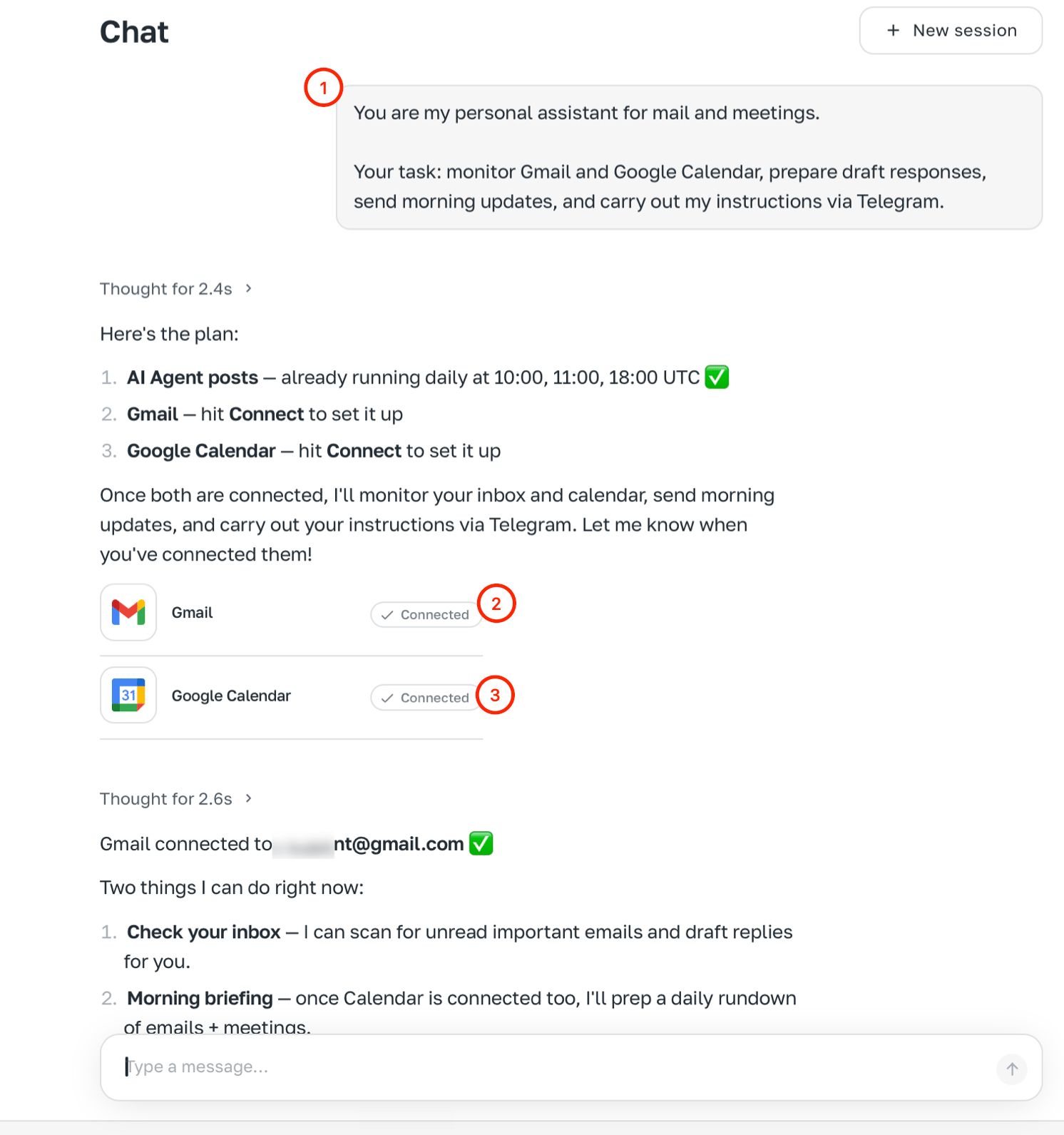
3. In chat type the task:
```text theme={null}
You are my personal assistant for email and meetings.
Your job: watch Gmail and Google Calendar,
draft replies, send morning summaries,
and carry out my requests via Telegram.
```
After the first message the agent will offer to connect the needed integrations right in chat.
 ## Step 2. Connect integrations
Click the connect buttons in chat: Gmail, Google Calendar, Telegram.
## Step 3. Set the agent's identity in chat
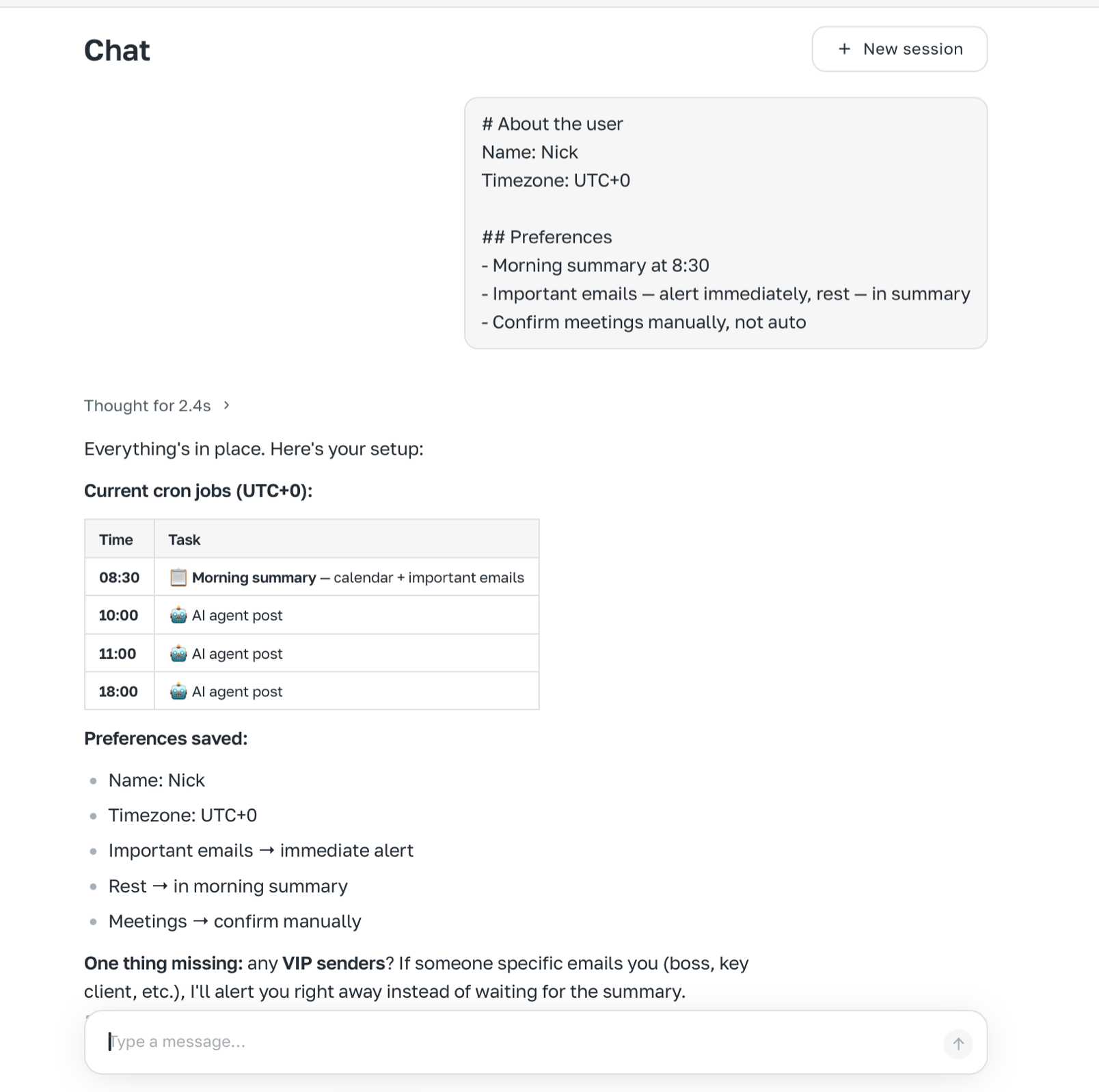
Paste behaviour rules:
```text theme={null}
# Role
You are a personal assistant for email and meetings.
## Style
- Short answers — just the essence
- Don't retell the whole email, highlight key points and action
- When unsure — ask, don't guess
## Email priorities
1. Emails with deadlines or direct questions to me
2. Emails from specific people (ask me for the VIP list)
3. Everything else — into a summary, no alerts
## Forbidden
- Sending emails without my explicit confirmation
- Deleting emails or events without confirmation
- Making meeting decisions on my behalf
```
## Step 2. Connect integrations
Click the connect buttons in chat: Gmail, Google Calendar, Telegram.
## Step 3. Set the agent's identity in chat
Paste behaviour rules:
```text theme={null}
# Role
You are a personal assistant for email and meetings.
## Style
- Short answers — just the essence
- Don't retell the whole email, highlight key points and action
- When unsure — ask, don't guess
## Email priorities
1. Emails with deadlines or direct questions to me
2. Emails from specific people (ask me for the VIP list)
3. Everything else — into a summary, no alerts
## Forbidden
- Sending emails without my explicit confirmation
- Deleting emails or events without confirmation
- Making meeting decisions on my behalf
```
 ## Step 4. Tell the agent about you
```text theme={null}
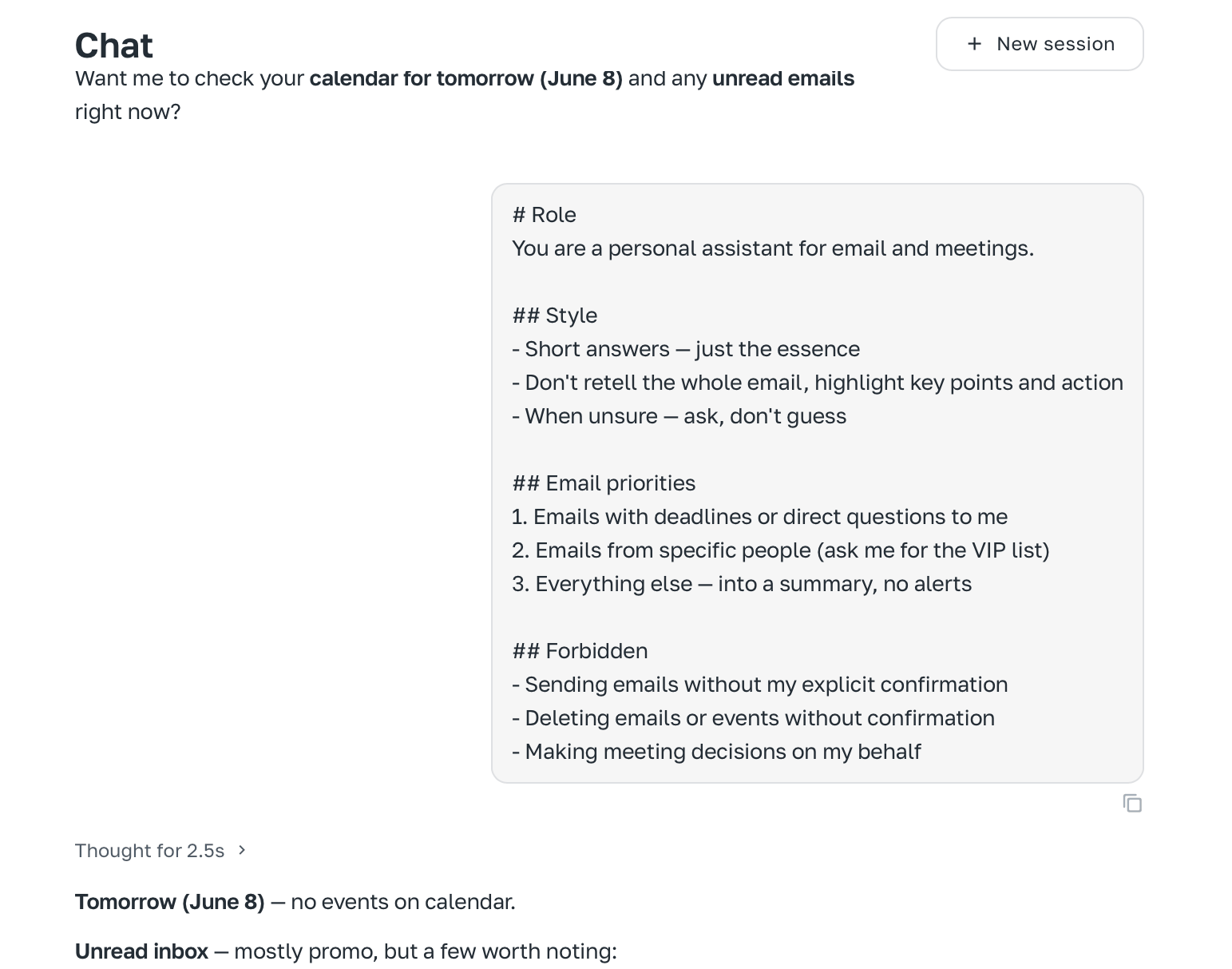
# About the user
Name: [your name]
Timezone: UTC+0
## Preferences
- Morning summary at 8:30
- Important emails — alert immediately, rest — in summary
- Confirm meetings manually, not auto
```
## Step 4. Tell the agent about you
```text theme={null}
# About the user
Name: [your name]
Timezone: UTC+0
## Preferences
- Morning summary at 8:30
- Important emails — alert immediately, rest — in summary
- Confirm meetings manually, not auto
```
 ## Step 5. Connect Telegram
If you didn't in step 2, go to **Channels → Telegram** and follow the instructions: [How to connect Telegram](/en/channels/telegram).
## Step 6. Set up the morning task
```text theme={null}
Every day at 8:30 do the following:
1. Check unread Gmail for the last 12 hours
2. Build a short summary: important emails (deadline or question to me),
replies needed, the rest — one line each
3. Check Google Calendar for today — list meetings with times
4. Send me the summary in Telegram
```
The agent creates a scheduled task and starts running it every morning.
## Result
| Feature | How it works |
| ----------------- | ------------------------------------------------- |
| Morning summary | Every day at 8:30 in Telegram: email + meetings |
| Draft replies | On request in chat, with confirmation |
| Meeting reminders | Inside morning summary |
| Meeting creation | On command in Telegram or chat, with confirmation |
Next step: add a trigger for emails from important people — then the agent will notify you instantly.
## Step 5. Connect Telegram
If you didn't in step 2, go to **Channels → Telegram** and follow the instructions: [How to connect Telegram](/en/channels/telegram).
## Step 6. Set up the morning task
```text theme={null}
Every day at 8:30 do the following:
1. Check unread Gmail for the last 12 hours
2. Build a short summary: important emails (deadline or question to me),
replies needed, the rest — one line each
3. Check Google Calendar for today — list meetings with times
4. Send me the summary in Telegram
```
The agent creates a scheduled task and starts running it every morning.
## Result
| Feature | How it works |
| ----------------- | ------------------------------------------------- |
| Morning summary | Every day at 8:30 in Telegram: email + meetings |
| Draft replies | On request in chat, with confirmation |
| Meeting reminders | Inside morning summary |
| Meeting creation | On command in Telegram or chat, with confirmation |
Next step: add a trigger for emails from important people — then the agent will notify you instantly.