> ## Documentation Index
> Fetch the complete documentation index at: https://docs.ascn.ai/llms.txt
> Use this file to discover all available pages before exploring further.
# API
> Connect external systems to the agent via API.
ASCN Agent provides an API to integrate with external systems: start conversations, send messages and get answers programmatically.
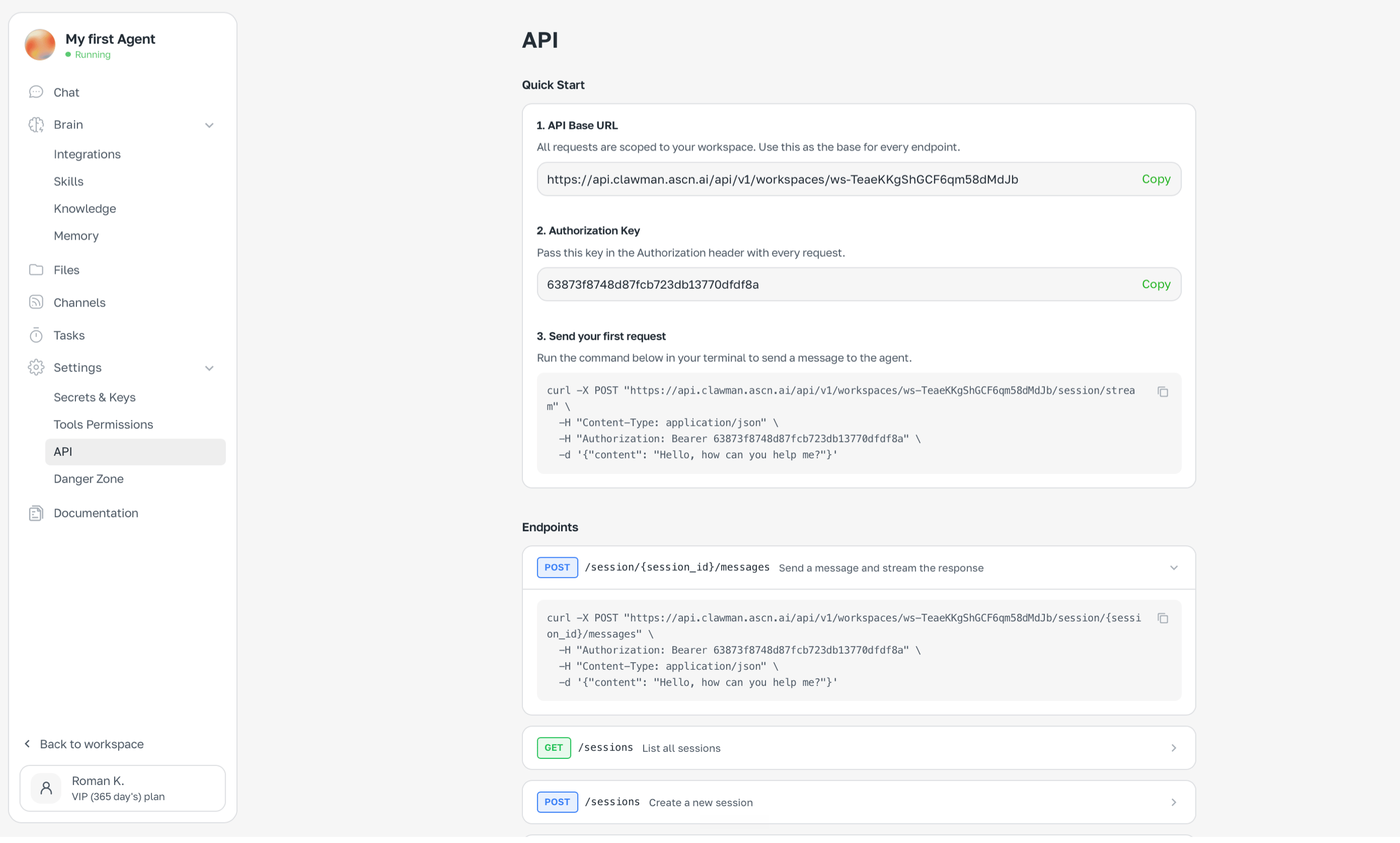 ## How to get API access
1. Open **Settings → API**
2. Copy the **Base URL** — it's unique per workspace
3. Copy the **Authorization key**
4. Use the key in `Authorization: Bearer ...` header on every request
## Basic example
```bash theme={null}
curl -X POST "https://api.clawman.ascn.ai/api/v1/workspaces/{workspace_id}/session/{session_id}/messages" \
-H "Content-Type: application/json" \
-H "Authorization: Bearer {API_KEY}" \
-d '{"content": "Check email and send a summary"}'
```
## Use cases
* Integrate ASCN Agent with your product
* Bridge multiple agents via API
* Connect to Zapier, Make or custom scripts via webhooks
Base URL and auth key are tied to a specific workspace.
## How to get API access
1. Open **Settings → API**
2. Copy the **Base URL** — it's unique per workspace
3. Copy the **Authorization key**
4. Use the key in `Authorization: Bearer ...` header on every request
## Basic example
```bash theme={null}
curl -X POST "https://api.clawman.ascn.ai/api/v1/workspaces/{workspace_id}/session/{session_id}/messages" \
-H "Content-Type: application/json" \
-H "Authorization: Bearer {API_KEY}" \
-d '{"content": "Check email and send a summary"}'
```
## Use cases
* Integrate ASCN Agent with your product
* Bridge multiple agents via API
* Connect to Zapier, Make or custom scripts via webhooks
Base URL and auth key are tied to a specific workspace.