> ## Documentation Index
> Fetch the complete documentation index at: https://docs.ascn.ai/llms.txt
> Use this file to discover all available pages before exploring further.
# Scheduled tasks
> Set the agent to run tasks automatically at the right time.
A **scheduled task** is a scenario the agent runs by itself at the right time, without you. Created via chat: just describe what and when.
## How to create a task
Tell the agent in chat:
```text theme={null}
Every morning at 8:00 build a summary of unread Gmail
and send it to me in Telegram.
```
```text theme={null}
Every Monday at 9:00 check my Google Calendar
and send me a week's meeting plan.
```
The agent creates the task, confirms the schedule and starts running it.
## Supported schedule formats
| Format | Example |
| ------------------------ | ----------------------- |
| Every N minutes / hours | Every 30 minutes |
| Daily at a specific time | Every day at 09:00 |
| Days of the week | Every Monday and Friday |
## Managing tasks
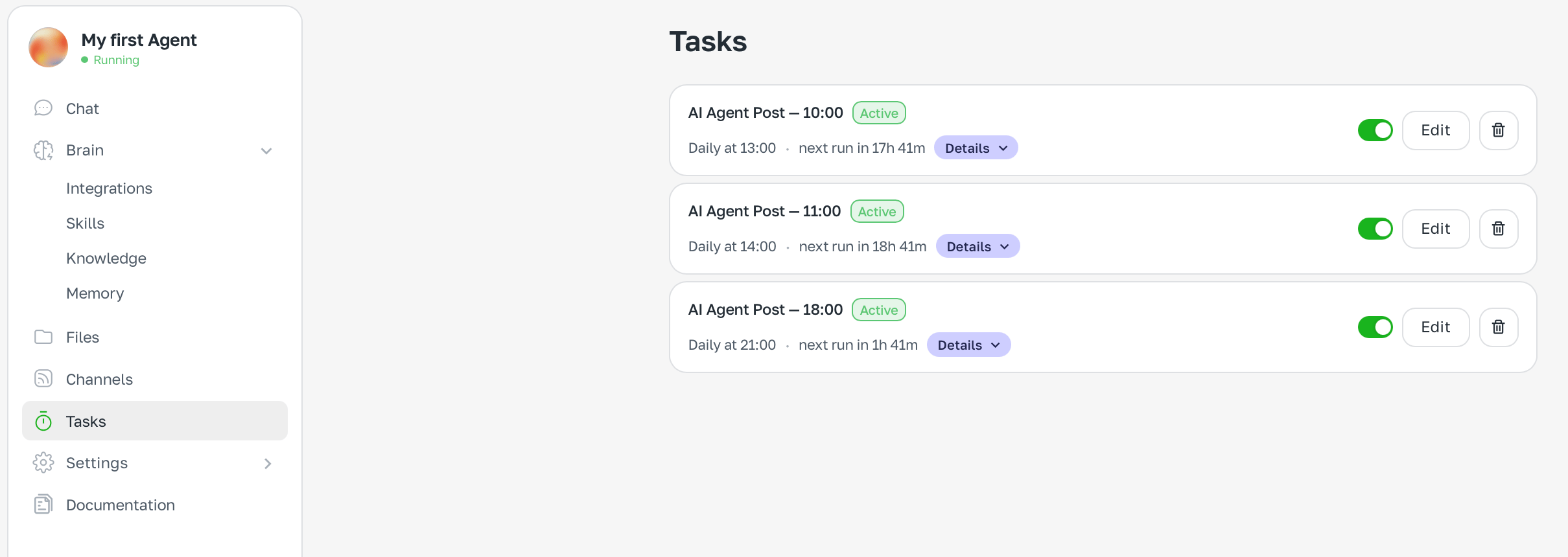
View all tasks in the **Tasks** section. Each task shows schedule, status (**Active** / **Paused**) and edit controls.
 ## Credit usage
Each task run consumes message credits. If the task touches external services (Gmail, Calendar) — it also uses integration credits.
Scheduled tasks burn credits predictably. For frequent checks, consider an optimal interval: hourly instead of every 15 minutes.
## Credit usage
Each task run consumes message credits. If the task touches external services (Gmail, Calendar) — it also uses integration credits.
Scheduled tasks burn credits predictably. For frequent checks, consider an optimal interval: hourly instead of every 15 minutes.