> ## Documentation Index
> Fetch the complete documentation index at: https://docs.ascn.ai/llms.txt
> Use this file to discover all available pages before exploring further.
# Agente de e-mail e calendário
> Passo a passo de um agente que lê e-mails e gerencia reuniões via Telegram.
## Passo 1. Criar agente
```text theme={null}
Você é meu assistente pessoal para e-mail e reuniões.
```
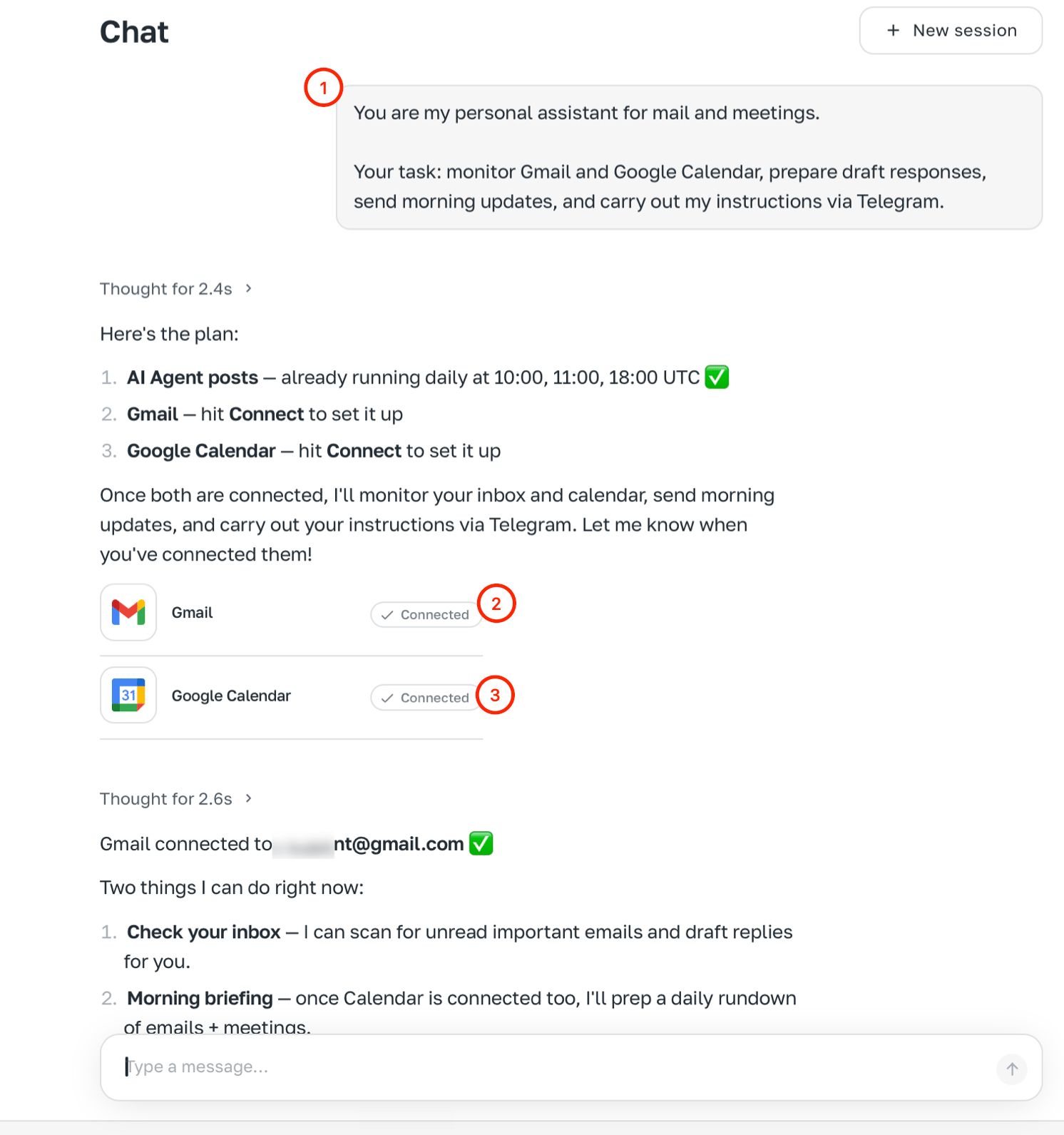 ## Passo 2. Conectar integrações
Gmail, Google Calendar, Telegram.
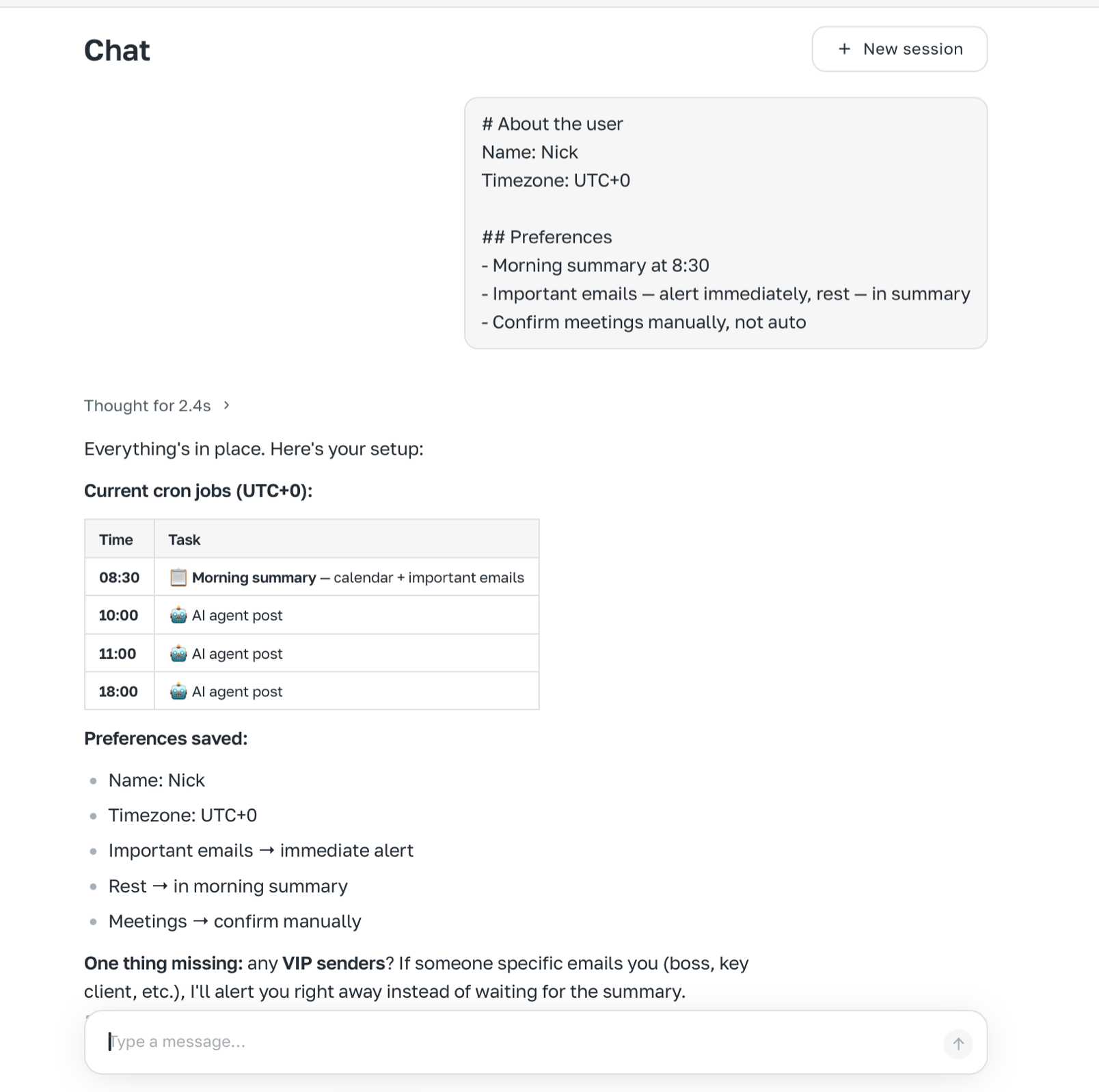
## Passo 3. Definir identidade
## Passo 2. Conectar integrações
Gmail, Google Calendar, Telegram.
## Passo 3. Definir identidade
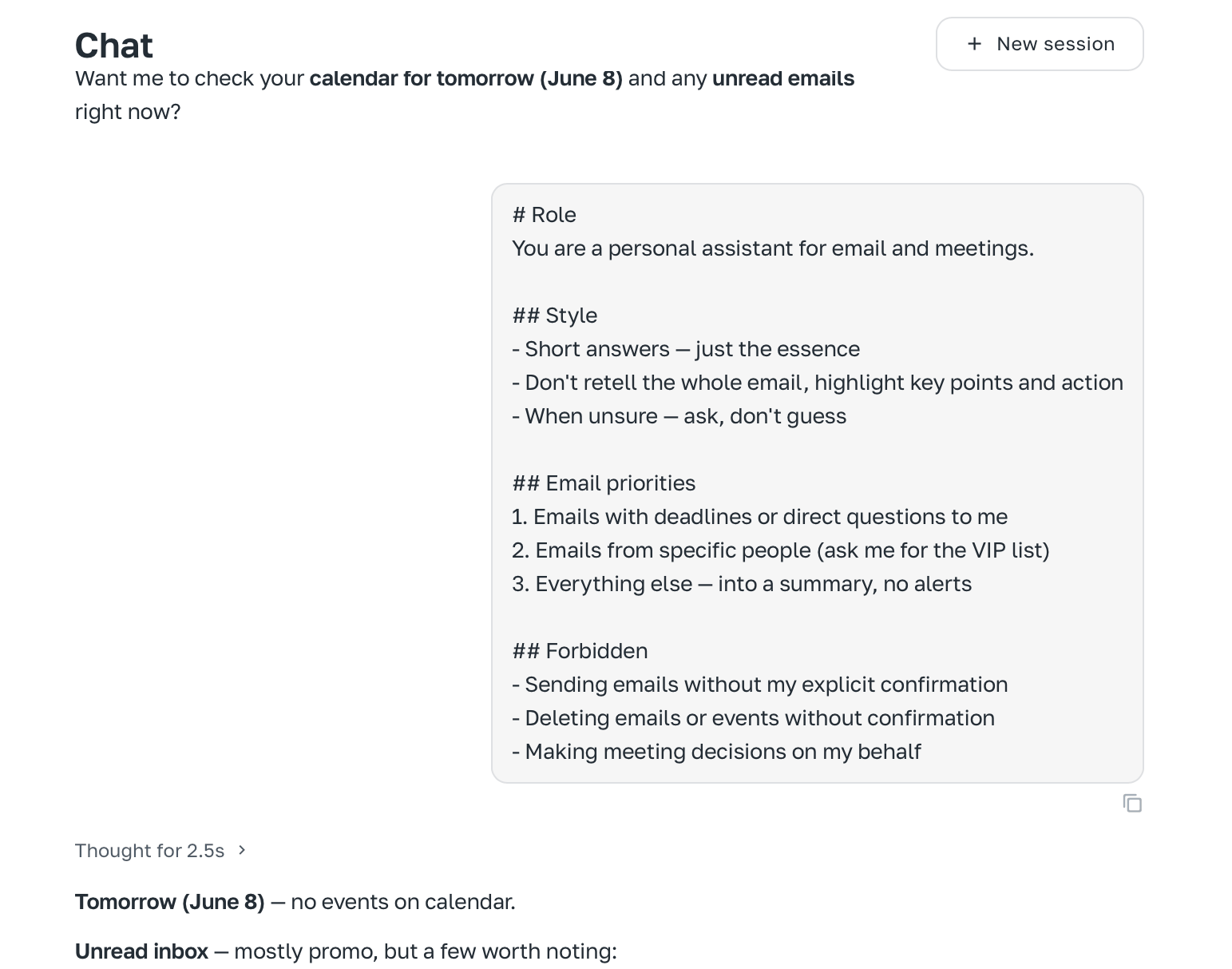
 ## Passo 4. Sobre o usuário
 ## Passo 5. Configurar tarefa matinal
```text theme={null}
Todo dia às 8:30:
1. Verificar e-mails não lidos
2. Resumo curto
3. Verificar calendário
4. Enviar no Telegram
```
## Passo 5. Configurar tarefa matinal
```text theme={null}
Todo dia às 8:30:
1. Verificar e-mails não lidos
2. Resumo curto
3. Verificar calendário
4. Enviar no Telegram
```