

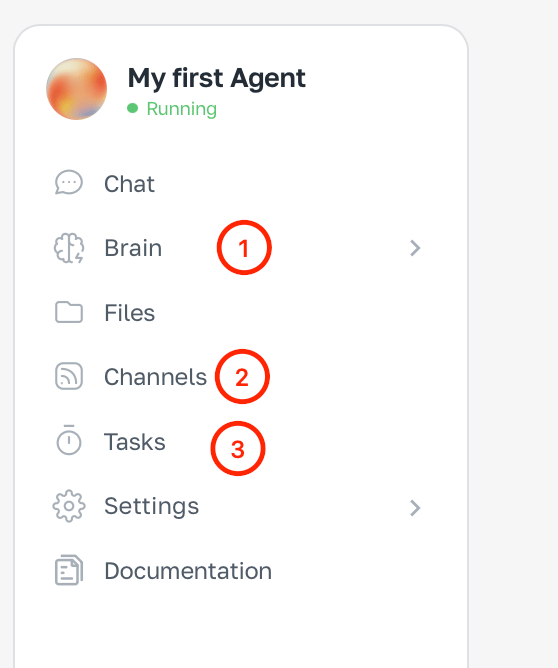
Brain — the control center
Brain defines the agent’s personality, knowledge and abilities. Here you configure:- Integrations — which services the agent can access: Gmail, Google Calendar, Google Drive, Slack, GitHub
- Skills — reusable behaviour scripts for typical tasks
- Knowledge — who the agent is, how it talks, which files and documents it uses
- Memory — what the agent remembers about you between sessions
The Brain is a one-time setup. Once you’ve connected integrations and filled in knowledge, the agent is ready to work without further instructions.
Tasks — automations
Tasks are what the agent does on its own, without you. Two kinds:
Tasks are created in chat — just describe what to do and when.
Channels — where you talk
Channels are where you talk to the agent and where it replies. Available channels:- ASCN chat — web interface of the platform
- Telegram — a bot you create via BotFather
- Slack — your team workspace
How the layers work together
Example: a morning email agent- Brain — connected to Gmail and Google Calendar, knows your work style
- Tasks — every day at 8:00 the agent reads your inbox and builds a summary
- Channels — the summary comes to you in Telegram
Integrations
Start with the Brain — connect your first integration.