

Step 1. Create an account
Go to ascn.ai and click Try free. Sign-up takes less than a minute.Step 2. Create your first agent
On the home page, click + Create new in the top right corner.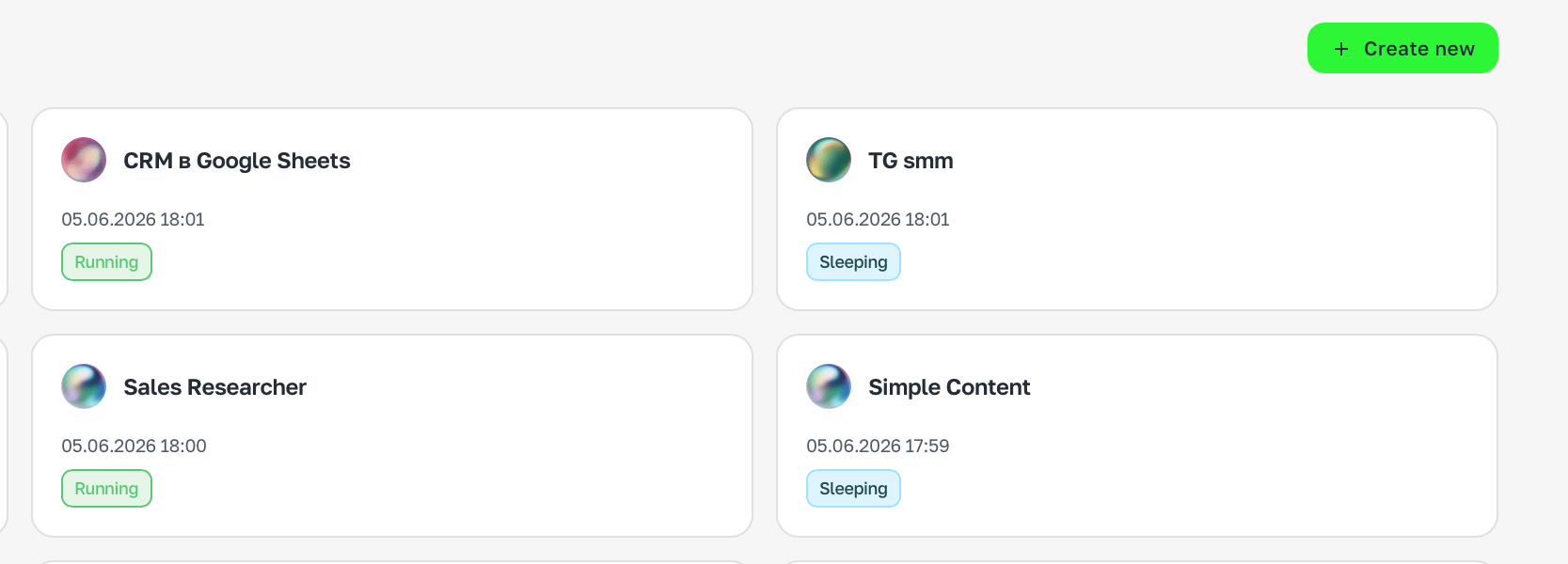
Step 3. Describe the task
Tell the agent in chat what it should do. The more specific — the better.Step 4. Connect the services you need
The agent will offer to connect the needed services right after your first message — just follow the prompts in chat. If you want to connect something yourself — open Brain, pick Integrations and find the service.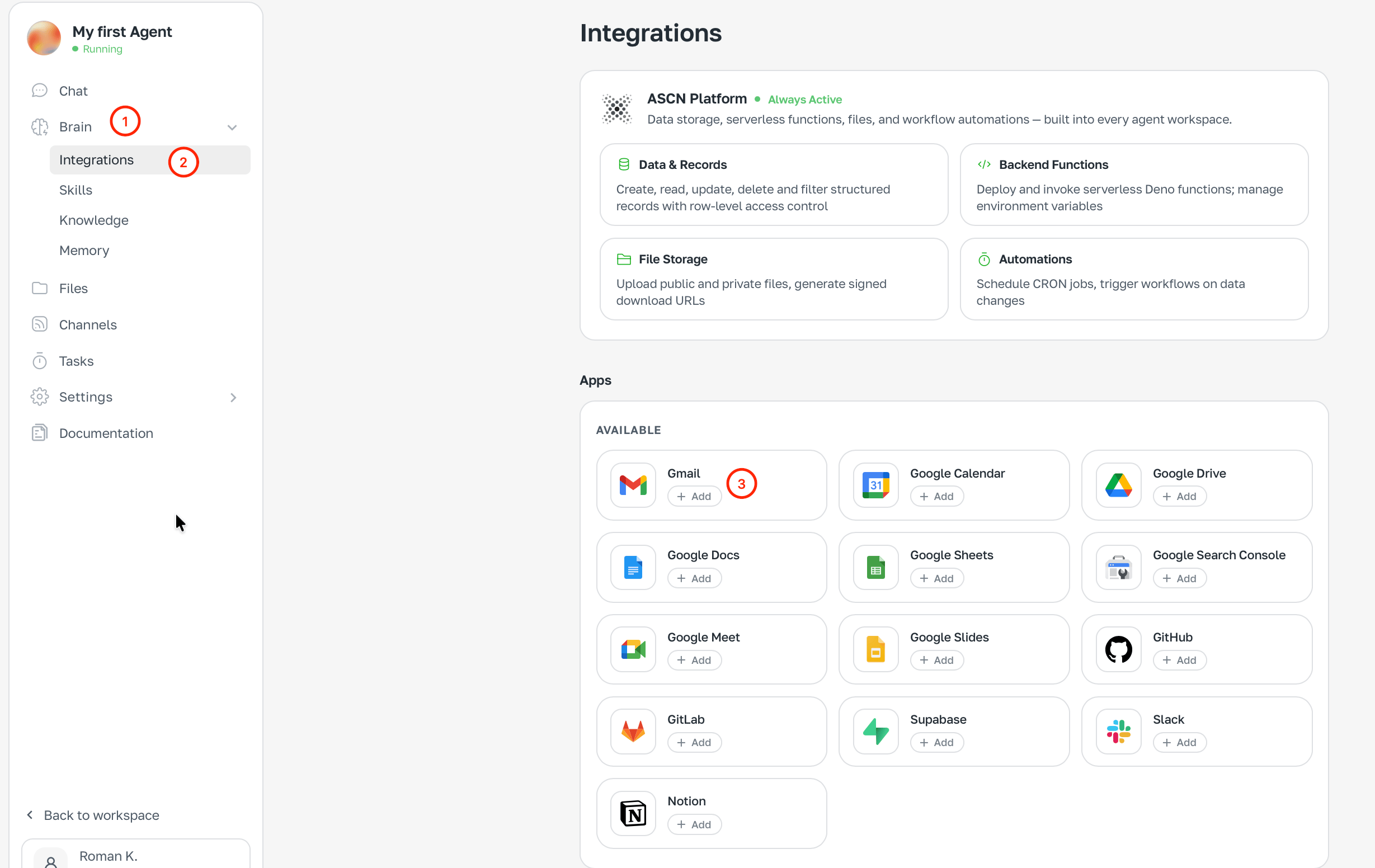
Step 5. Done
The agent is already working. Chat in ASCN or connect Telegram — and talk from wherever is convenient.What’s next
How the agent works
Understand the architecture: Brain, Tasks, Channels.
Integrations
Connect Gmail, Calendar, Drive, Slack, GitHub.
Scheduled tasks
Set up automatic morning summaries and reminders.
A ready-made example
Step-by-step build of an email and calendar agent.