

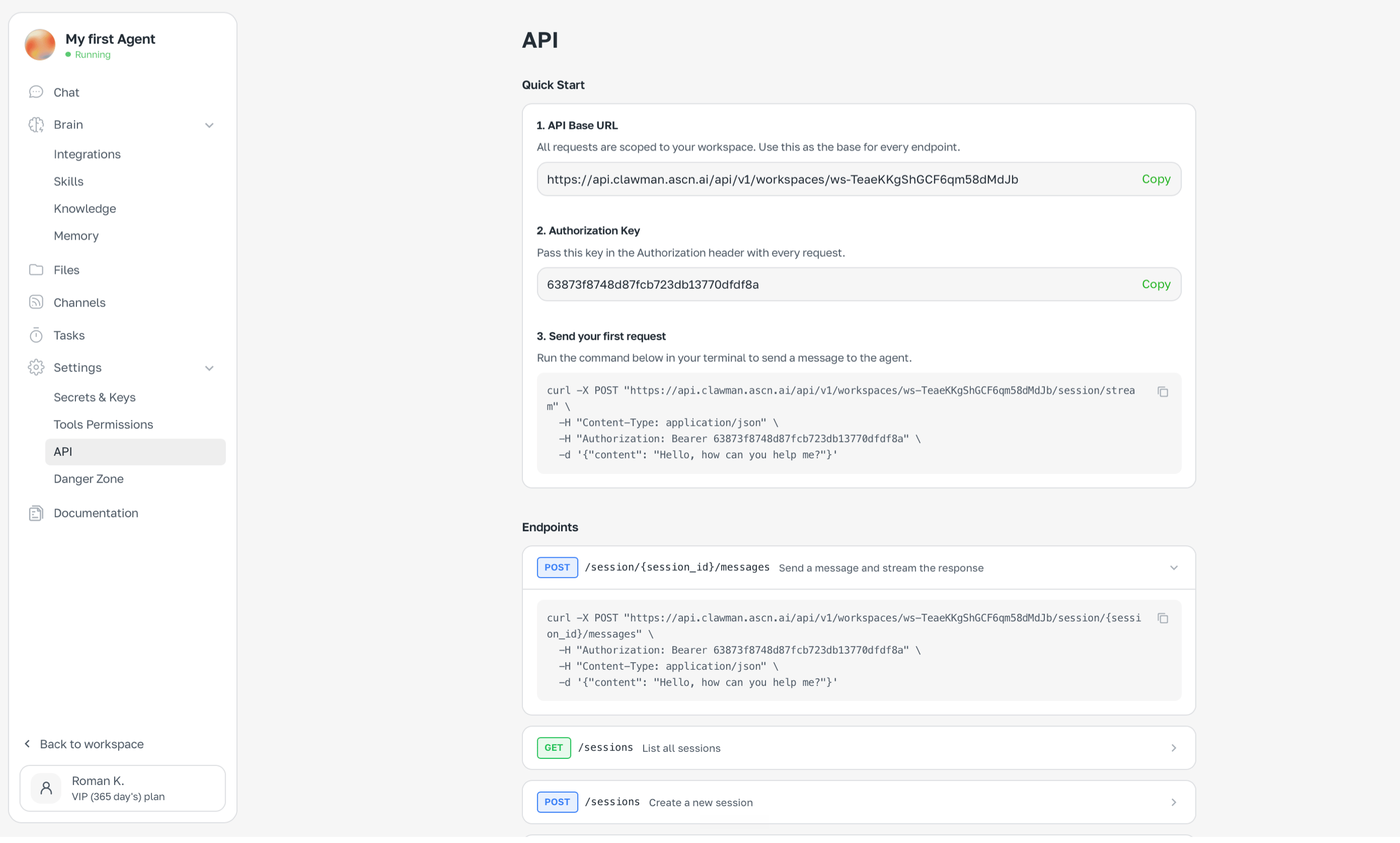
ASCN Agent provides an API to integrate with external systems: start conversations, send messages and get answers programmatically. Settings → API — Base URL, auth key and example

How to get API access

  1. Open Settings → API
  2. Copy the Base URL — it’s unique per workspace
  3. Copy the Authorization key
  4. Use the key in Authorization: Bearer ... header on every request

Basic example

curl -X POST "https://api.clawman.ascn.ai/api/v1/workspaces/{workspace_id}/session/{session_id}/messages" \
  -H "Content-Type: application/json" \
  -H "Authorization: Bearer {API_KEY}" \
  -d '{"content": "Check email and send a summary"}'

Use cases

  • Integrate ASCN Agent with your product
  • Bridge multiple agents via API
  • Connect to Zapier, Make or custom scripts via webhooks
Base URL and auth key are tied to a specific workspace.