

DM with a bot
Step 1. Create a bot via BotFather
Open @BotFather in Telegram and create a new bot. ASCN shows step-by-step guidance in the UI.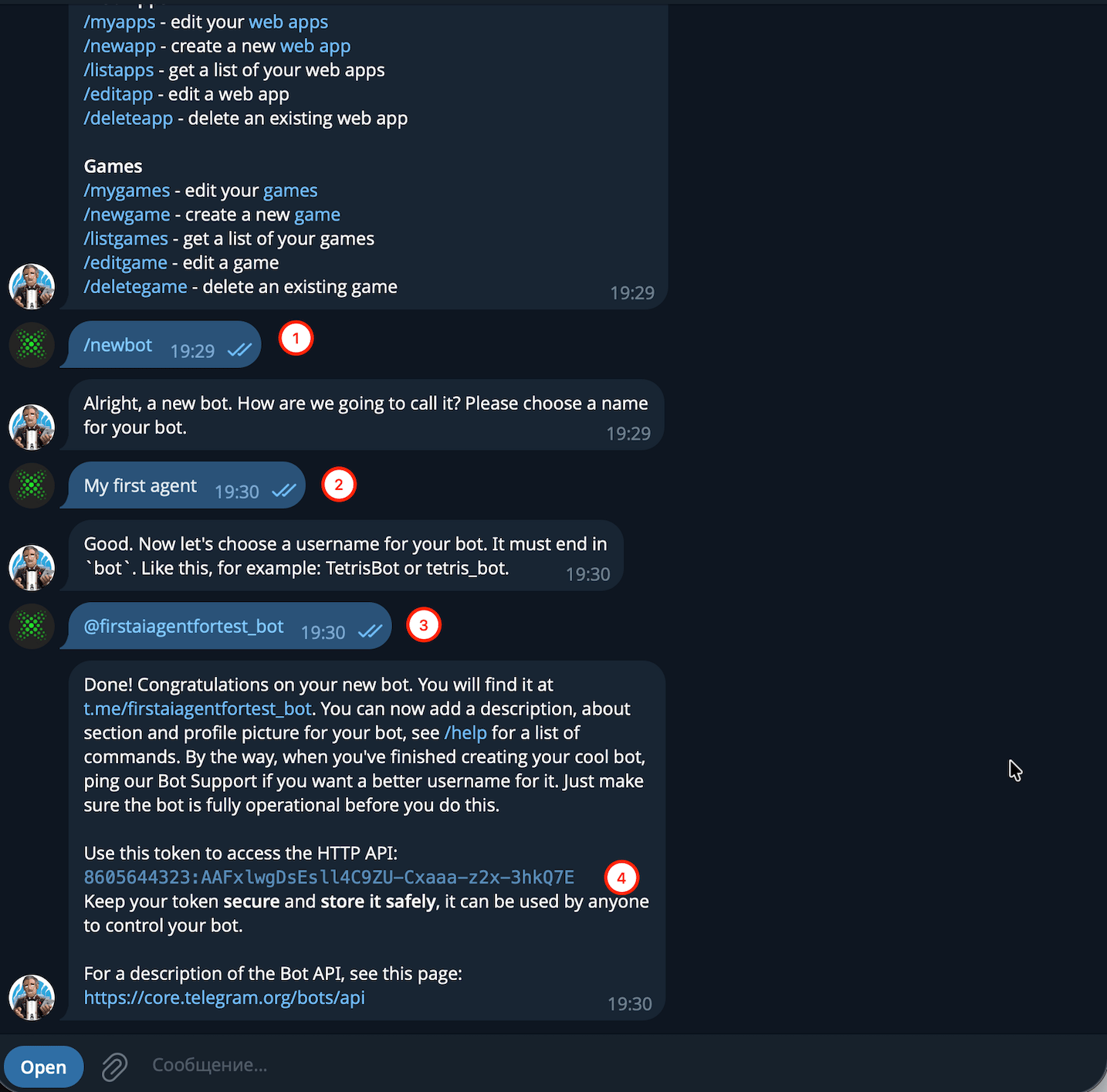
Step 2. Follow the ASCN wizard
Open Channels → Telegram. ASCN launches a connection wizard:- Open BotFather in Telegram
- Send
/newbot - Pick a display name
- Pick a username (must end with
_bot) - Copy the token — BotFather will send it in chat
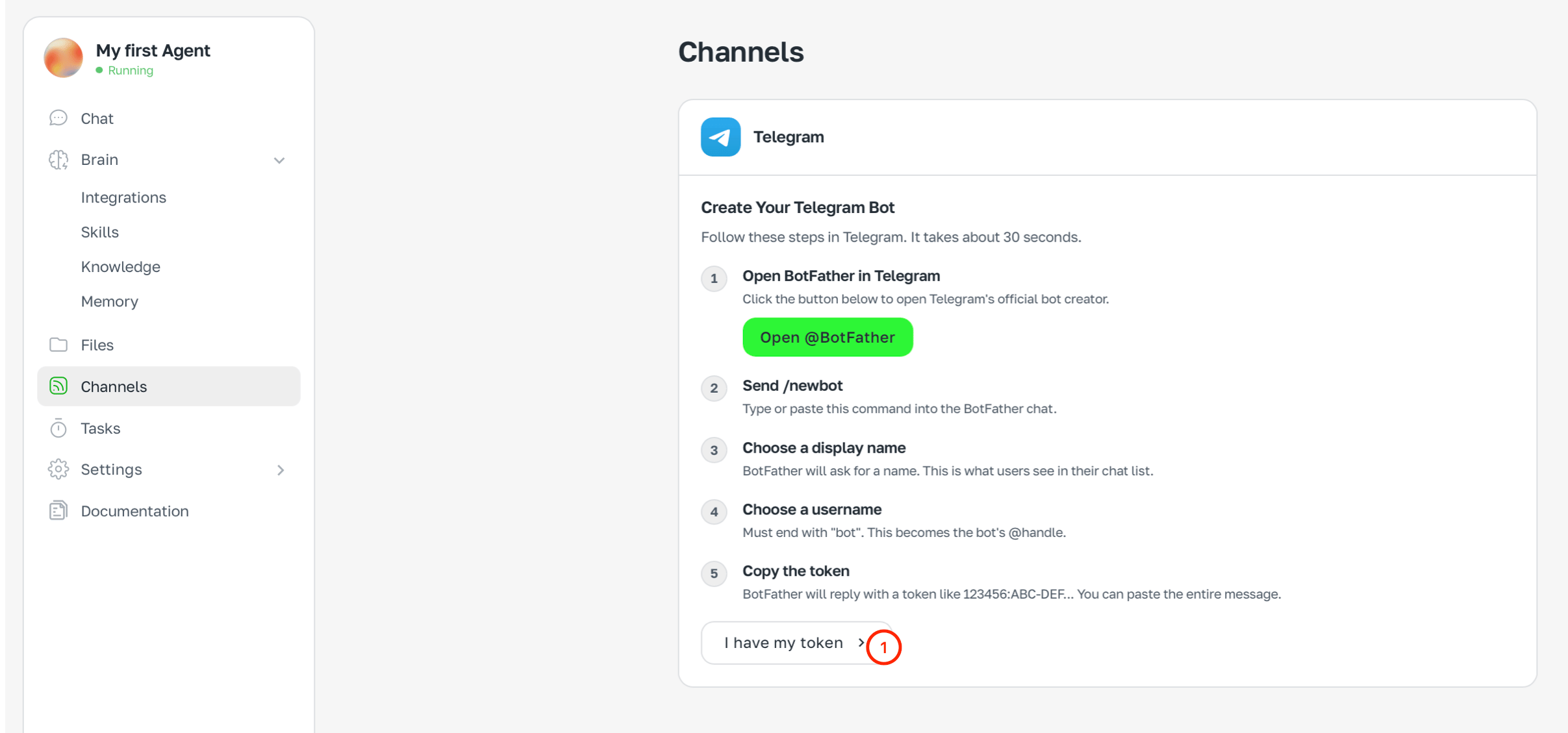
Step 3. Paste the token
Click I have a token →, paste the token. You can paste the entire BotFather message — ASCN extracts the token automatically. Click Connect bot.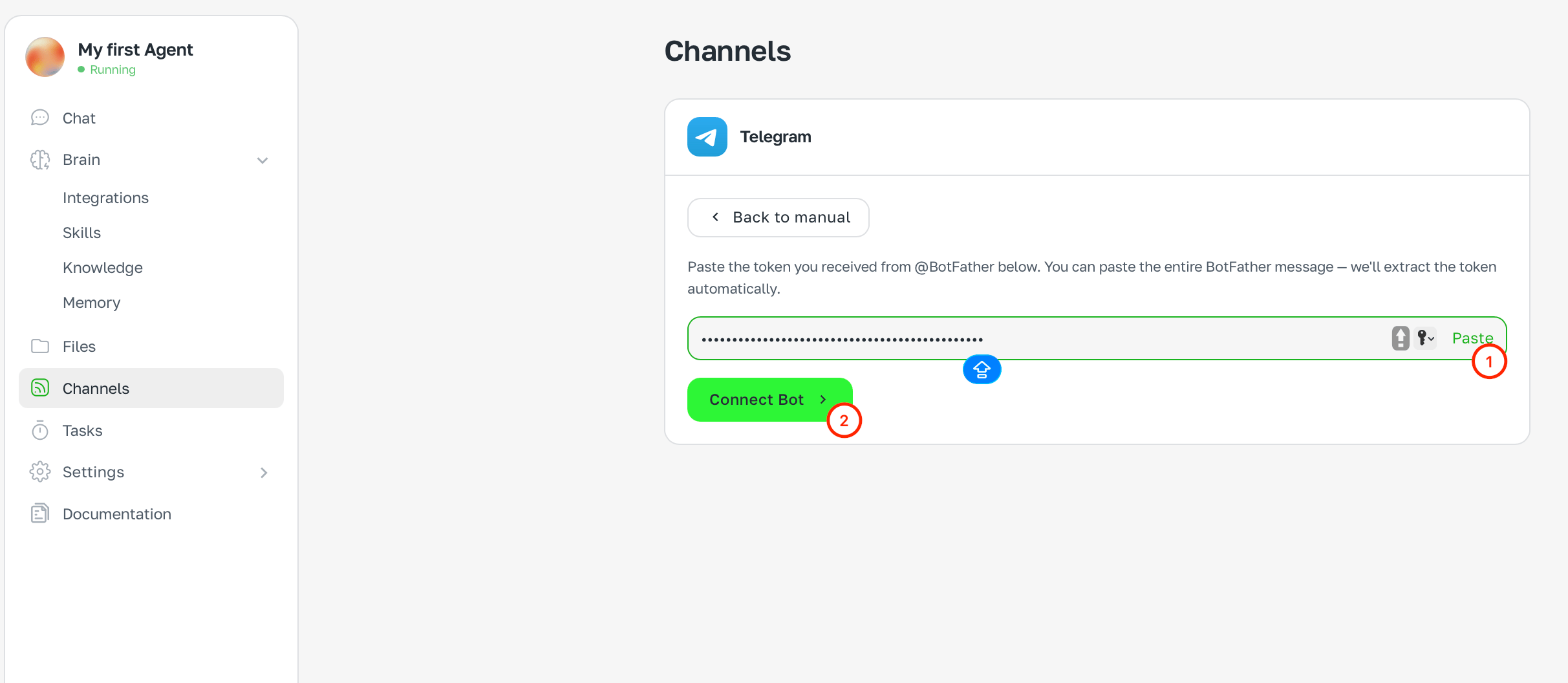
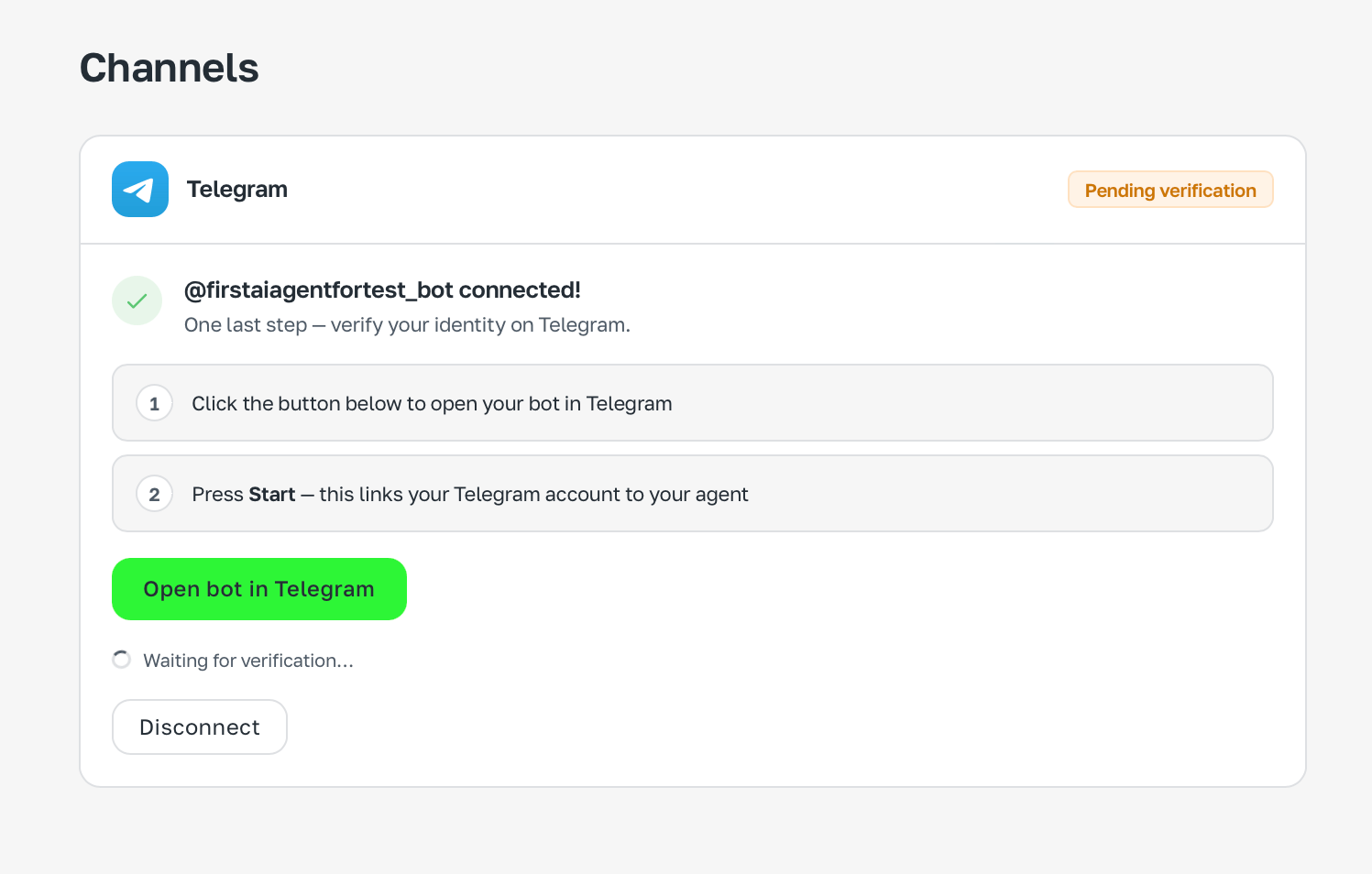
Step 4. Verify ownership
After connecting, ASCN asks to verify the bot:- Click Open bot in Telegram
- Click Start in the dialog — it links your account with the agent
Done
After clicking Start the bot greets you and offers to connect integrations right in Telegram.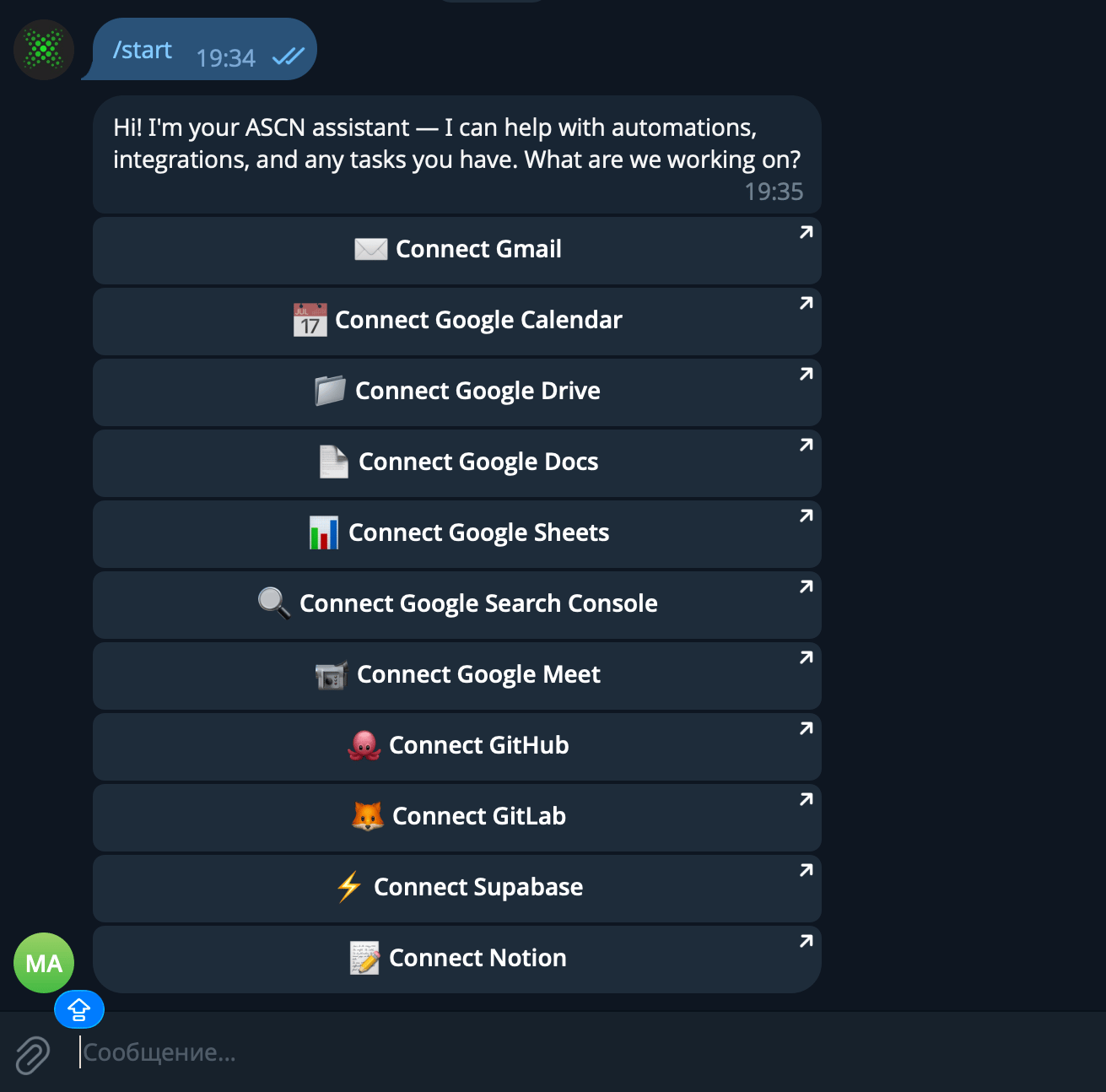
Group or channel
You can add the agent to a Telegram group or channel — for team work or publishing notifications. Add the bot as administrator, get the chat ID (e.g. via @RawDataBot) and enter it in ASCN.Personal account
The agent can also work via your personal Telegram account — not as a bot, but as you.What you can do via Telegram
- Ask questions and get answers
- Give commands: «send an email», «book a meeting», «what do I have today?»
- Get notifications from triggers and scheduled tasks
- Upload files and images right in chat