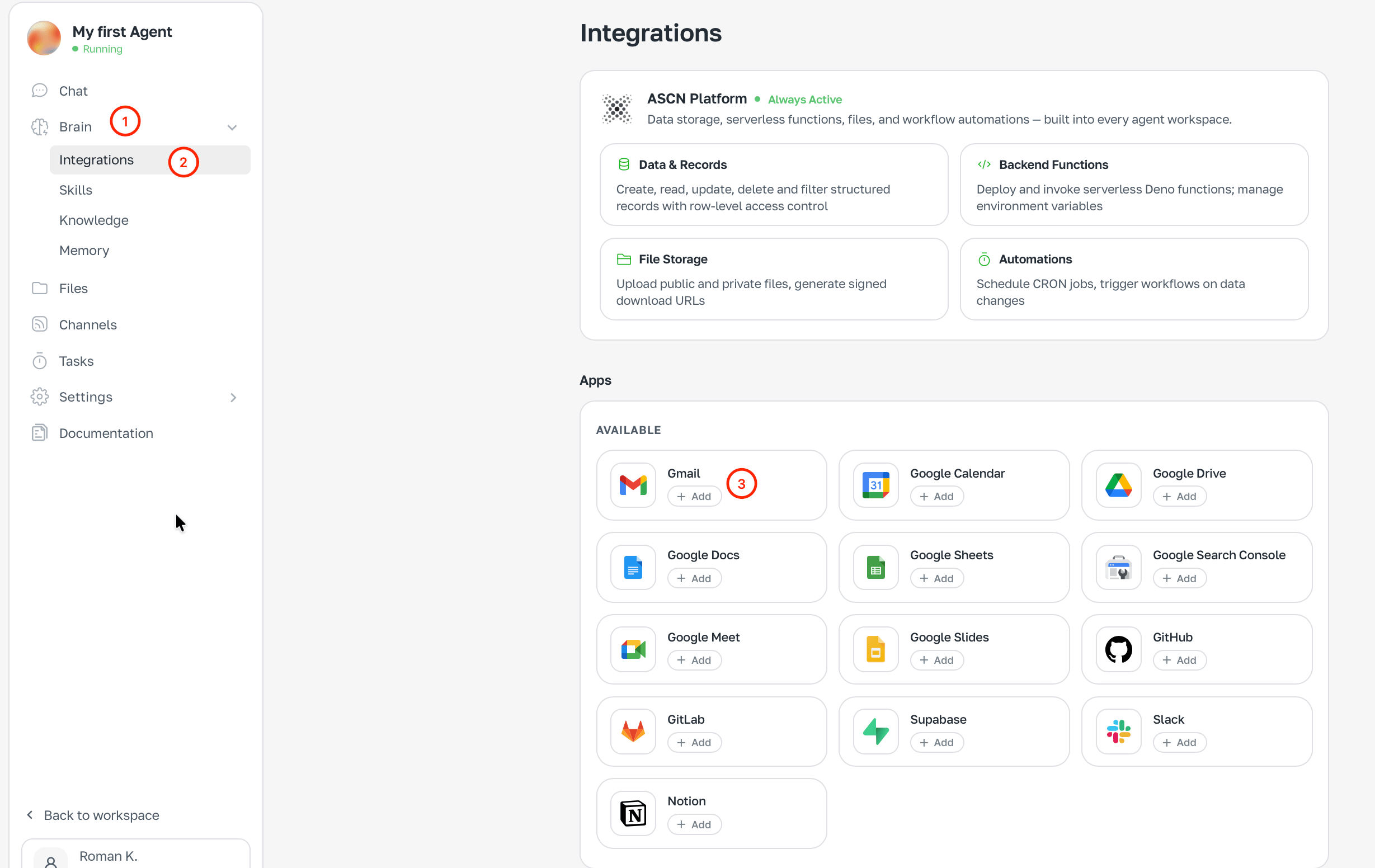

An integration is the wire between the agent and a service you already use. Connect Gmail — the agent reads and replies. Connect Slack — it posts to channels. Without integrations the agent works blind.

Works out of the box

Two things are available right away:
  • Web search — finds fresh information on any topic
  • Page reader — opens any public URL and reads its contents

What you can connect

ServiceWhat the agent does for you
GmailReads, drafts, sends, sorts
Google CalendarSees meetings, creates and updates events
Google DriveOpens files, creates new ones, watches for changes
Google Docs / SheetsReads and edits documents
SlackReads channels and posts messages
GitHub / GitLabLooks at issues, branches, pull requests
Notion / SupabaseWorks with pages and databases

Fastest way — via chat

Just tell the agent what you want. It figures out what to connect and asks you to sign in.
Connect my Gmail and send me a digest of important emails every evening
Authorization happens right in chat — one click and done.

Connect manually

  1. Open Brain → Integrations
  2. Find the service
  3. Click + Add
  4. Grant the requested access
Brain → Integrations with «+ Add» buttons

Managing connected services

For each integration you can:
  • Switch account — link a different account
  • Disable — pause it
  • Remove — unlink completely
⚠️ Removing an integration breaks all tasks that use it. Better disable first.